For builders
The build can't move on until the paperwork is actually there
Residential building runs on documents that arrive late. The slab certificate, the bricklayer's licence, the engineer's sign-off, the signed variation. Everyone knows they are required. The job moves on anyway, and somebody finds out at handover.
Certificates required, not requested
Name the fields a stage cannot be left without. Missing ones block the move and are listed by name.
Claims and variations against the job
As many as the job needs, each a full record, with a running total on the parent.
Quote to invoice to Xero
Customer accepts online, it becomes an invoice at the accepted figure, and it syncs to your accounting system.
Documents read on site
Photograph a certificate and the text comes off it, scanned in Sydney, never sent overseas.
Stages that will not let themselves be skipped
Write your build stages down once: enquiry, quote, contract, slab, frame, lock-up, fit-out, practical completion, handover. Then say what each one needs before a job is allowed to leave it. A slab certificate on the slab stage. A current licence number for the trade doing the work. A photo of the completed pour.
When somebody tries to move the job to frame without the certificate, the job does not move. They are told which field is missing, in those words, on the step they are standing on. It is not a reminder, a flag or a report somebody reads on Friday. The record physically stays where it is.
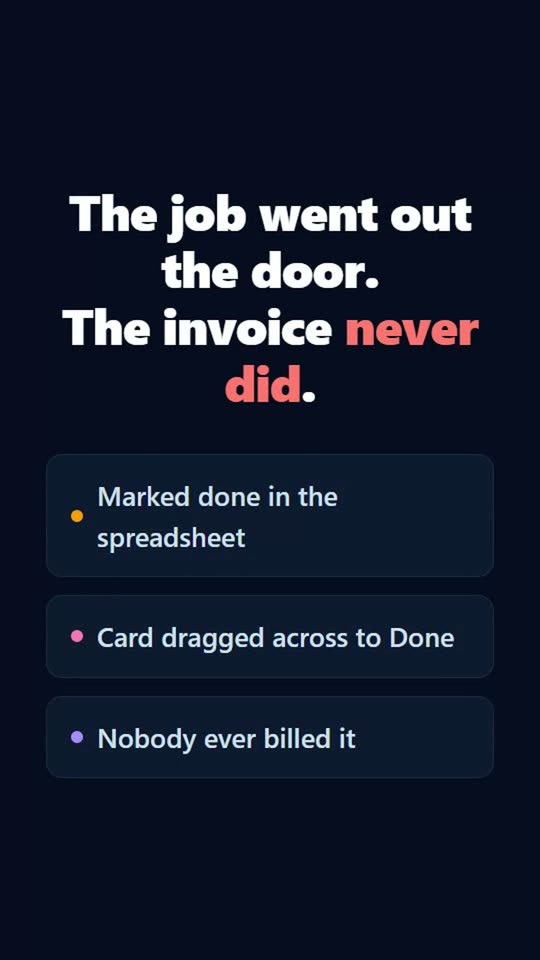
That is the whole difference between this and a task board. A spreadsheet lets you type Done. A card lets you drag it to the next column. Neither of them knows the certificate never arrived.
Progress claims and variations, raised against the contract
A build does not have a fixed number of claims. One job has three, the next has seven, and they turn up when they turn up. That is exactly what a fixed row of steps cannot model, which is why builders end up with a claims spreadsheet sitting next to the job.
In Streams a claim is a record in its own right, raised against the build. It has its own stages, its own required fields and its own approvals, so it can be submitted, assessed, approved and paid like anything else. The build stays open and editable the whole time, however many claims are against it.
Variations work the same way. Raise one against the contract, carry the scope, the price and the signature on it, and the parent job keeps a running total of everything raised. You can see the contract sum and what has been claimed against it on the job itself, instead of reconciling two systems at the end of the month.
Bill it without typing it twice
Raise the quote off the job, with the customer's details and the GST already filled in. The customer opens a link, reads it and accepts it by typing their name. That acceptance is recorded with a timestamp, and it can move the job to the next stage on its own.
Turn the accepted quote into an invoice in one click, at the figure they accepted, with the tax worked out the same way Xero and MYOB work it out so the totals match on import. Connect your Xero, MYOB or QuickBooks and the invoice goes across when you send it. When it is paid in Xero, the payment comes back.
You can also stop a job being closed before it is billed. Tick 'an invoice has been paid in full' on the final stage and practical completion will not accept a job that nobody invoiced.
The site knows what the office knows
Every stage carries its own written instructions, sitting on the step where the work happens rather than in a folder nobody opens. New supervisors read what to do at the stage they are at, while they are at it.
Photograph a certificate or a licence on site and the text is read off it and kept on the job. That scanning runs on our own service in Sydney, so the document does not leave the country.
Give each stage a target number of days. A job that sits past its target gets flagged on the record, appears in the weekly summary, and emails whoever it is assigned to the morning after it goes over.
See it happen
Tick one box and a record cannot leave a step until the work behind it is actually done: the quote sent, the invoice raised, the customer told. Excel lets you type Done. Trello lets you drag the card. Neither of them knows nobody was ever billed.
A starting point: the Project Schedule template
Plan projects with milestone dates that automatically plot as cards on the Timeline view. 5 stages and 9 fields, with written instructions on every stage. Change any of it, because it is your process.
Questions
- Can I track progress claims against a contract?
- Yes. A claims stream can be marked as a sub-stream of your build stream, so claims are raised against a particular job instead of standing on their own. Each claim is a full record with its own stages and approvals, and the build shows a running total of what has been claimed against it. The build stays editable however many claims are open.
- Can I stop a job progressing without a certificate?
- Yes, and this is the point of the product rather than an add-on. Mark the certificate field as required on the stage it belongs to, and a job cannot leave that stage until it has a value. The person moving it is told exactly which fields are missing.
- Does it replace my accounting software?
- No. It raises the quote and the invoice off the job and pushes them into Xero, MYOB or QuickBooks, so the job and the books agree without anyone rekeying. Your accountant keeps working where they already work.
- Is it only for residential builders?
- No. Anything that moves through stages with documents attached at each one fits, including commercial fit-outs, civil works and trades doing defined scopes of work. The stages are yours to write.
Weighing it up against
Other trades doing the same thing
Start with the free plan
Two users, 500 records and every feature switched on. No credit card, and your data stays in Australia.
Get started free